AOAP CAP UG BTech 2022 Client - v01
Contents
Introduction
Amrita Online Admission Portal (AOAP) guides the candidates with simple steps through the admission procedure. This document delineates the admission registration procedure to the candidates.
Getting Started
To access AOAP 2022
Open an internet browser (Recommended to use Google Chrome)
Type http://amrita.edu/admissions and click enter
Steps Involved
Register with your email
Personal Information
Application
Payment
Academic Details
Document Uploads

Register as a new candidate
Go to New Candidate tab.
Candidate can do the sign-up to AOAP portal through either of the two options
Register Easily with their already existing Google or Facebook accounts
Register manually by providing Email and phone number details
Register with Google Account
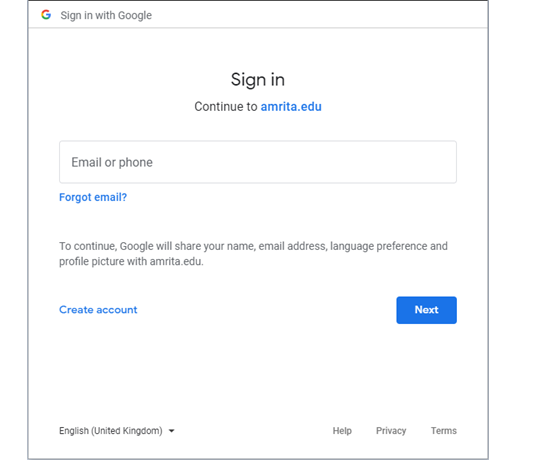
To Register with Google account, Click on the Google icon
You will be redirected to sign in with google credentials
Register with Facebook account
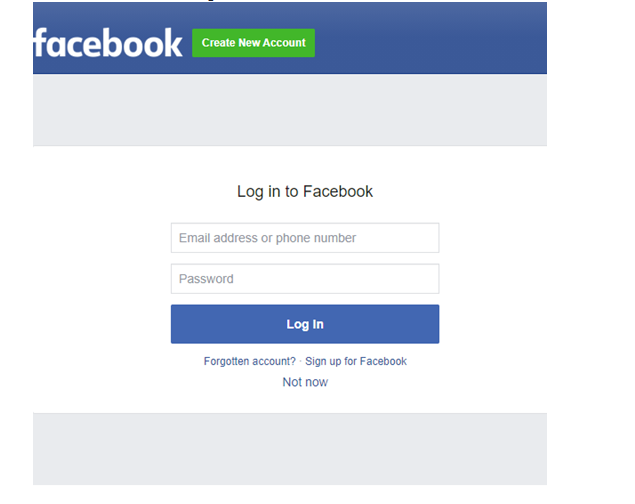
To Register with Facebook account, Click on the Facebook icon.
You will be redirected to sign in with Facebook credentials.
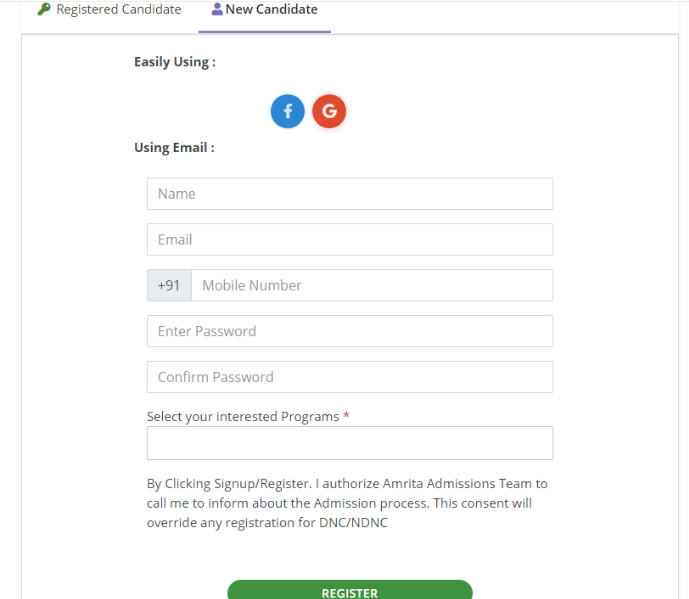
Register Manually using Email and Phone number details
Enter your Name, Email, Phone number and Password details.
Select your Interested Programs
Click Register
Personal Information
The Personal Information Page consists of three sub portions to complete
Personal Information
Address for correspondence
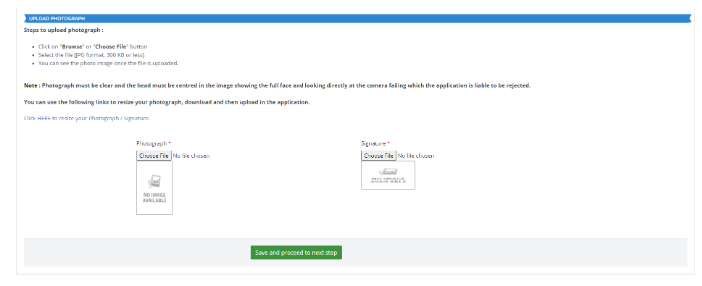
Upload Photograph
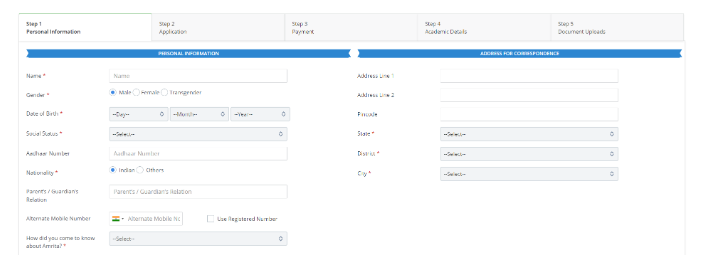
Candidate need to fill up the complete information and save the page to go to next step.
Application
In the Application Page there are two boxes
Select the programme
Your Applications
By default, the program which the candidate selected while registering will be displayed as selected.
Candidate can choose any other program if required from the list of programme displayed.
Candidate needs to make sure that at least one of the programs is selected to apply.
Click on “Proceed to next step” at the bottom of the page to add the selected programs to the application.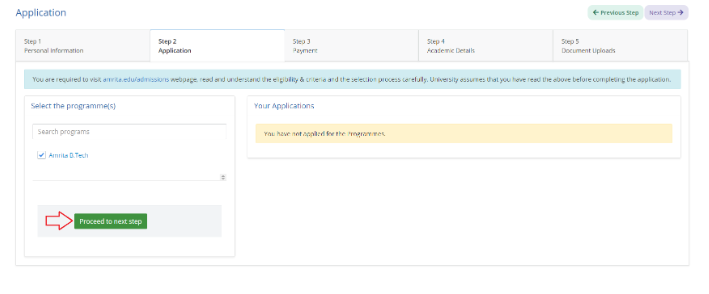
Mode of Admission
A new page will showing the mode of admission.
Read all the instructions carefully. Select at-least one of the mode of admission to proceed further.
 1. AEEE 2022
 2. JEE Main Score
 3. SAT
 4. PUEE
Candidate can check/uncheck the check box to specify whether the application to be considered under Regular Fee (Non-Scholarship Category).
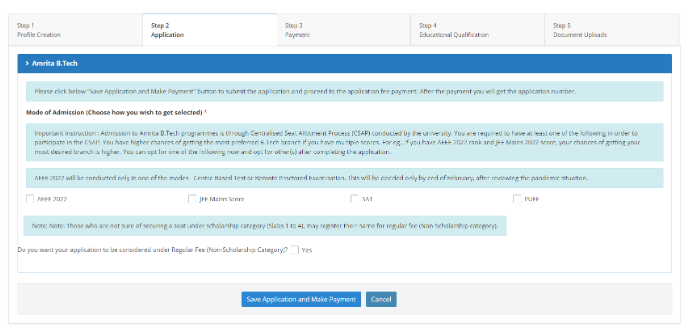
If you select JEE, SAT or PUEE, candidate need to provide the relevant information related to them.
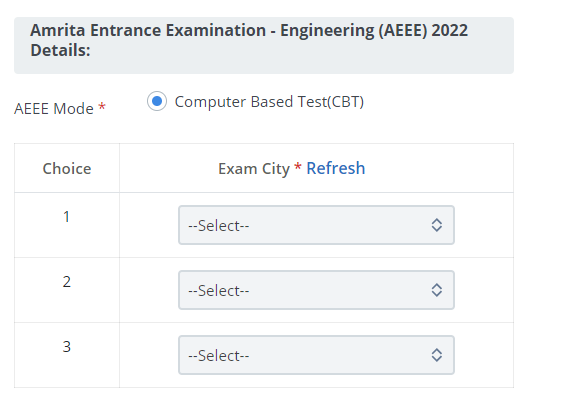
AEEE 2022
For AEEE 2022 you have to select three choices of exam cities from the drop down.
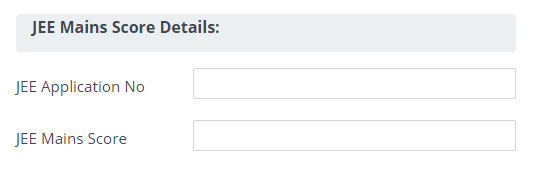
JEE Main Score
If you select JEE mains score, provide JEE application number and JEE score.
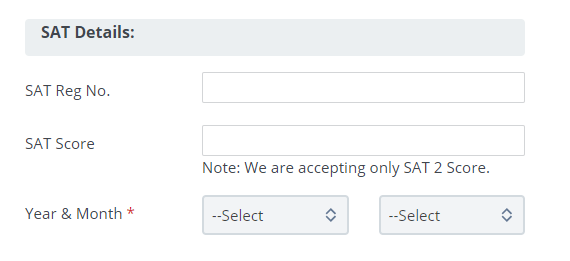
SAT
If you select SAT, provide SAT registration number, SAT Score, Year & Month details.
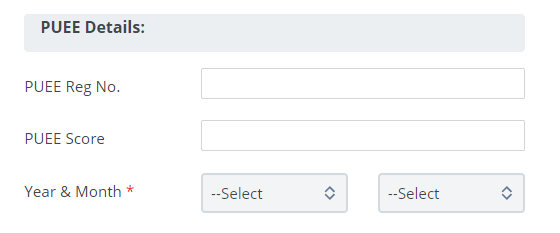
PUEE
If you select PUEE, provide PUEE registration number, PUEE Score, Year & Month details.
Candidate can edit the saved application any time before the application gets processed.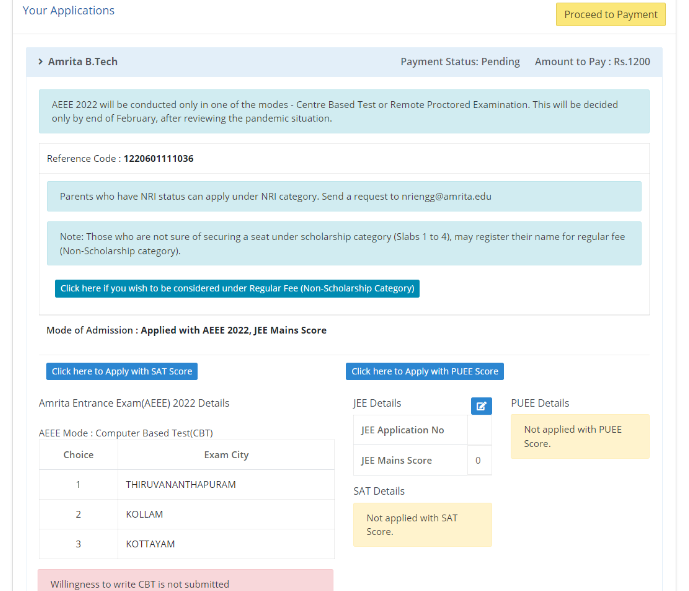
Regular Fee (Non-Scholar Category):
Candidate can request to consider the application under Regular Fee (Non Scholarship Category) if he / she is not sure of securing a seat under Scholarship Category.

Click the button "Click here if you wish to be considered under Regular Fee (Non Scholarship Category)".
A new button appears to "Select your preferred branch and campus".
Candidate should provide three campus and branch preferences.
Candidate has to fill the 10th Standard Mark details.
Click Save button.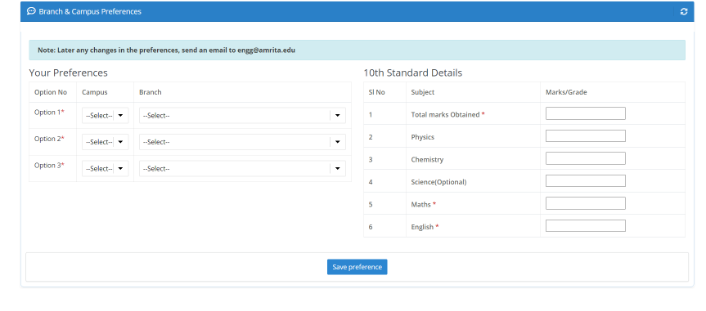
Payment
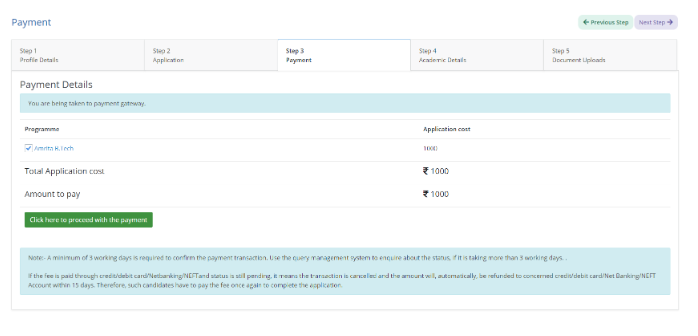
Under Payment page, the selected programme name and the application cost details will be displayed.
Candidate needs to click on the “Click here to proceed with the payment” to proceed if all details displayed are confirmed.
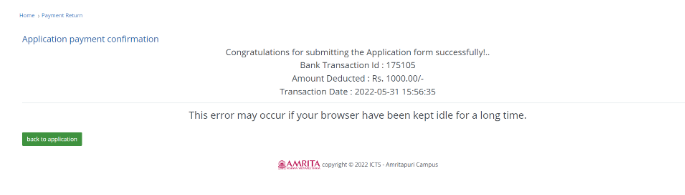
Once you complete the payment successfully, a confirmation will be displayed.
If the payment gets fail due to any circumstances, a Payment Failed page will be displayed. There is a “Back to application” to go back the application page and retry the payment again.
Academic Details
Candidate need to provide the following details
Branch
Board
Year of passing
SSLC Percentage
12th Standard State
School Studied
12th Result Status
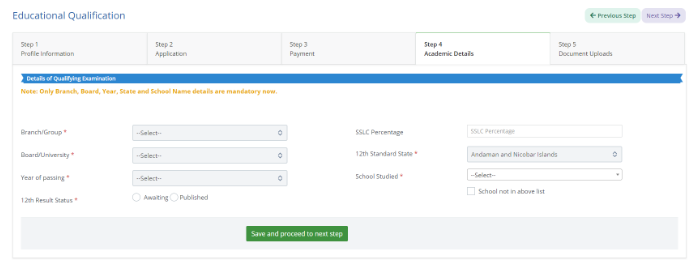
If the school name is missing in the drop-down, candidate can type the school name manually in the text box after selecting the check box near to “School not in above list”.
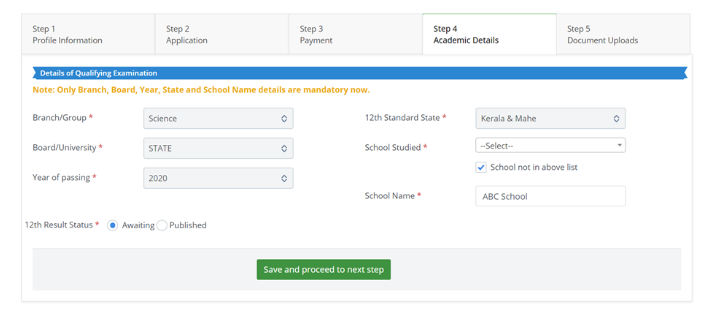
Candidate needs to specify the 12th Result Status as “Awaiting” or “Published”.
If the Candidate selects “Published” as 12th Result status, enter Individual marks scored for each subject against maximum marks for each subject.
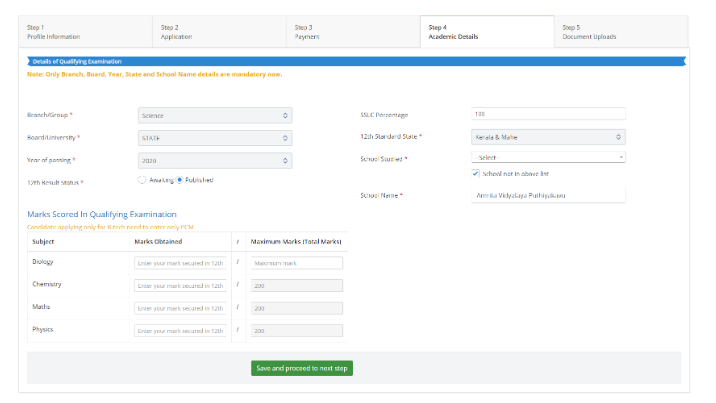
Click on “Save and proceed to next step” button to proceed
Document Uploads
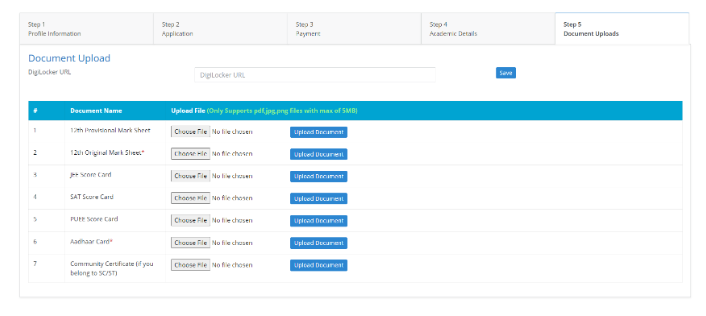
This is the final Step where the candidate needs to upload the educational documents.
Candidate will be asked to upload the required documents.
1.   12th Provisional Mark Sheet
2.   12th Original Mark Sheet
3.   JEE Score Card
4.   SAT Score Card
5.   PUEE Score Card
6.   Aadhaar Card
7.   Community Certificate (if you belong to SC/ST)
Dashboard
You may login again any time and view the status or continue to complete the admission registration process.
AEEE 2022 CBT Phase1 Willingness
From the dashboard, candidate can submit the phase1 willingness if required.
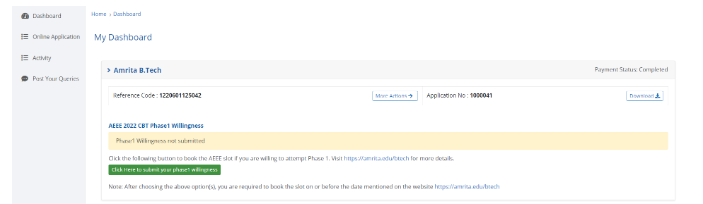
Once you have completed the admission registration process you may receive email notifications or receive telephonic call from the admission team regarding the further procedures.
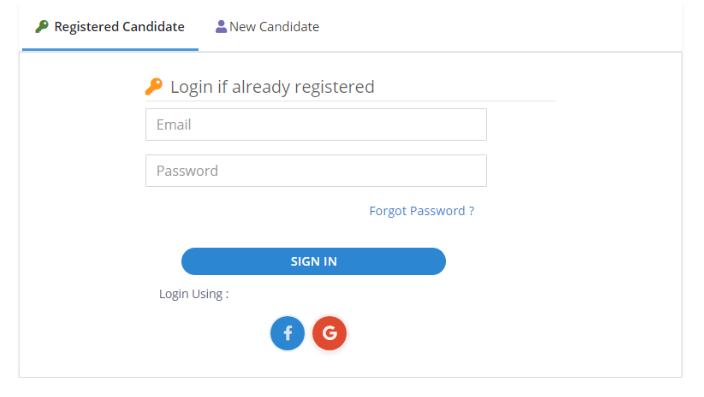
Login as an already Registered Candidate
A registered candidate can login with either of the two methods
Login using Facebook or Google account
Login with your previously registered AOAP credentials
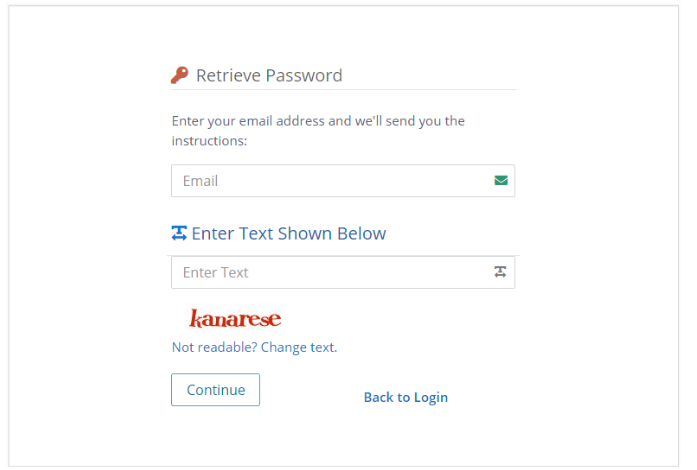
Forgot Password
Click on Forgot Password in the login page.
Enter the email id.
Type the captcha text displayed.
Click Continue.
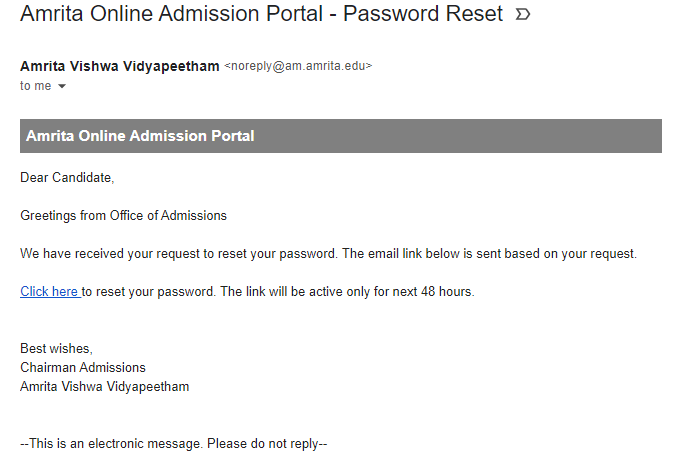
Candidate will receive an email to reset the password.
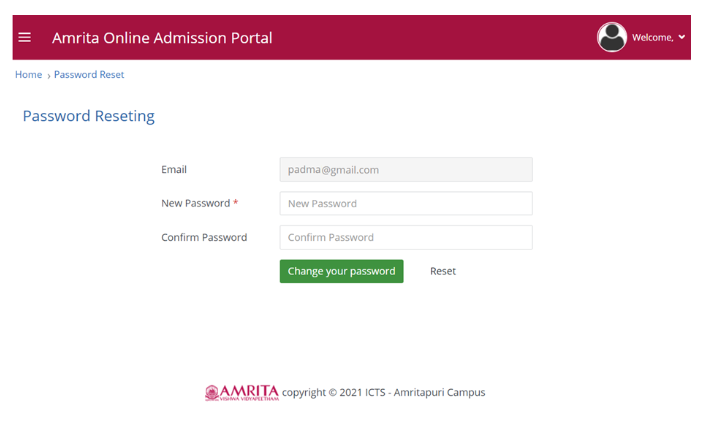
Enter the New password.
Type it again to confirm password.
Click Change your password button.
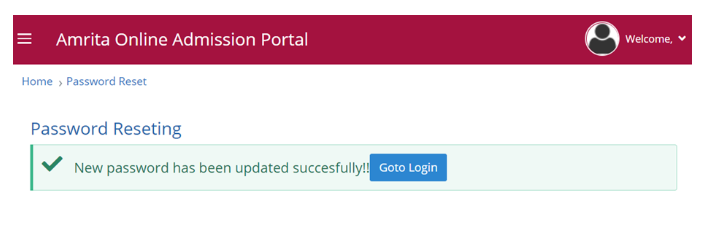
Confirmation message will be displayed.
Click Go to Login button.
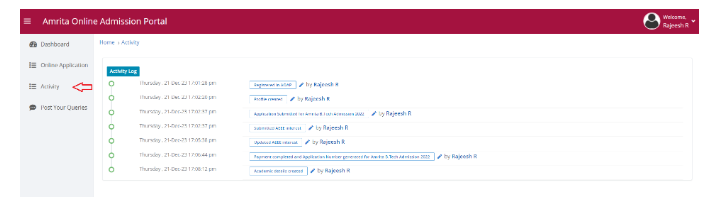
Activity
Activity page logs the activities done by the user in the Admission portal.
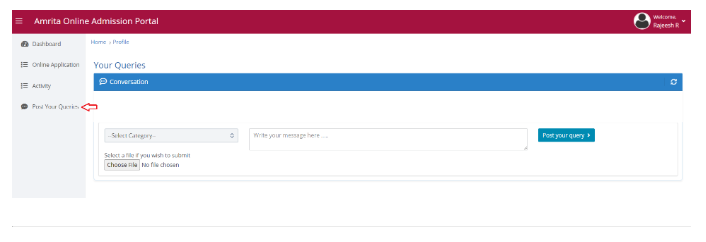
Post your queries
Candidate can post queries related to the admission.
Select a category which the query relates to from the drop-down
Type the query in the text box
Click “Post your query” button
Candidate’s query will be displayed under the conversation
Help-desk team will reply to the candidate’s query